
Support Ticket and CRM Sync Use Case
Overview
Support ticket and CRM sync helps businesses keep customer data and support interactions connected in one place. Instead of managing support tickets and CRM records separately, AI ensures that every request is logged and reflected across systems.
This AI integration use case explains how AI captures support tickets, updates customer history, and maintains a complete record of interactions. The goal is to improve tracking, reduce delays, and help teams resolve issues faster.
The Problem
Customer support and customer data are often managed in separate systems. Support teams work in ticketing platforms, while sales and account teams rely on CRM systems. This separation creates gaps in information and makes it difficult to maintain a complete view of the customer.
When a support request is submitted, it may not always be linked to the customer’s CRM record. This means important details about issues, complaints, or past interactions are not easily visible to all teams. As a result, employees may need to search through multiple systems to understand the full context.
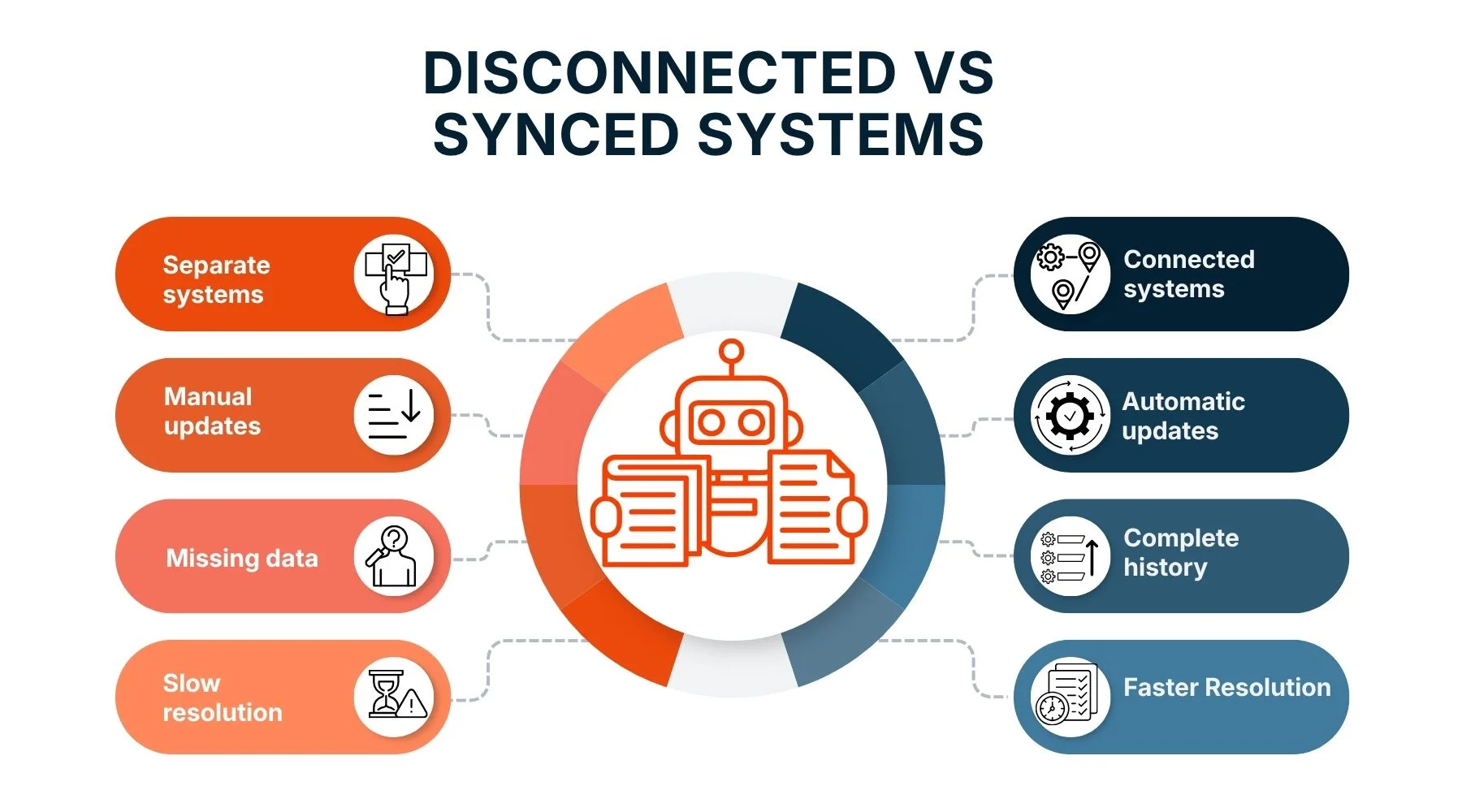
Manual updates are another challenge. Teams may need to log tickets, copy details into the CRM, and update records by hand. This process takes time and increases the risk of errors or missing information. In many cases, updates are delayed or skipped, which leads to incomplete customer histories.
This lack of synchronization affects both efficiency and service quality. Support agents may not have access to previous interactions, which can slow down resolution and lead to repeated questions. Customers may feel frustrated when they have to explain the same issue multiple times.
Tracking performance is also more difficult when data is spread across systems. Managers may struggle to measure response times, resolution rates, or customer satisfaction accurately. Without clear insights, it becomes harder to improve support operations.
As the number of customers and support requests grows, these issues become more complex. More data means more manual work, more gaps in information, and more delays in resolving issues. This limits the ability of teams to provide fast and effective support.
The AI Solution
Support ticket and CRM sync creates a unified system where support interactions and customer data are always aligned. It ensures that every ticket is recorded and linked to the correct customer automatically.
Trigger
A customer submits a support request.
AI Action
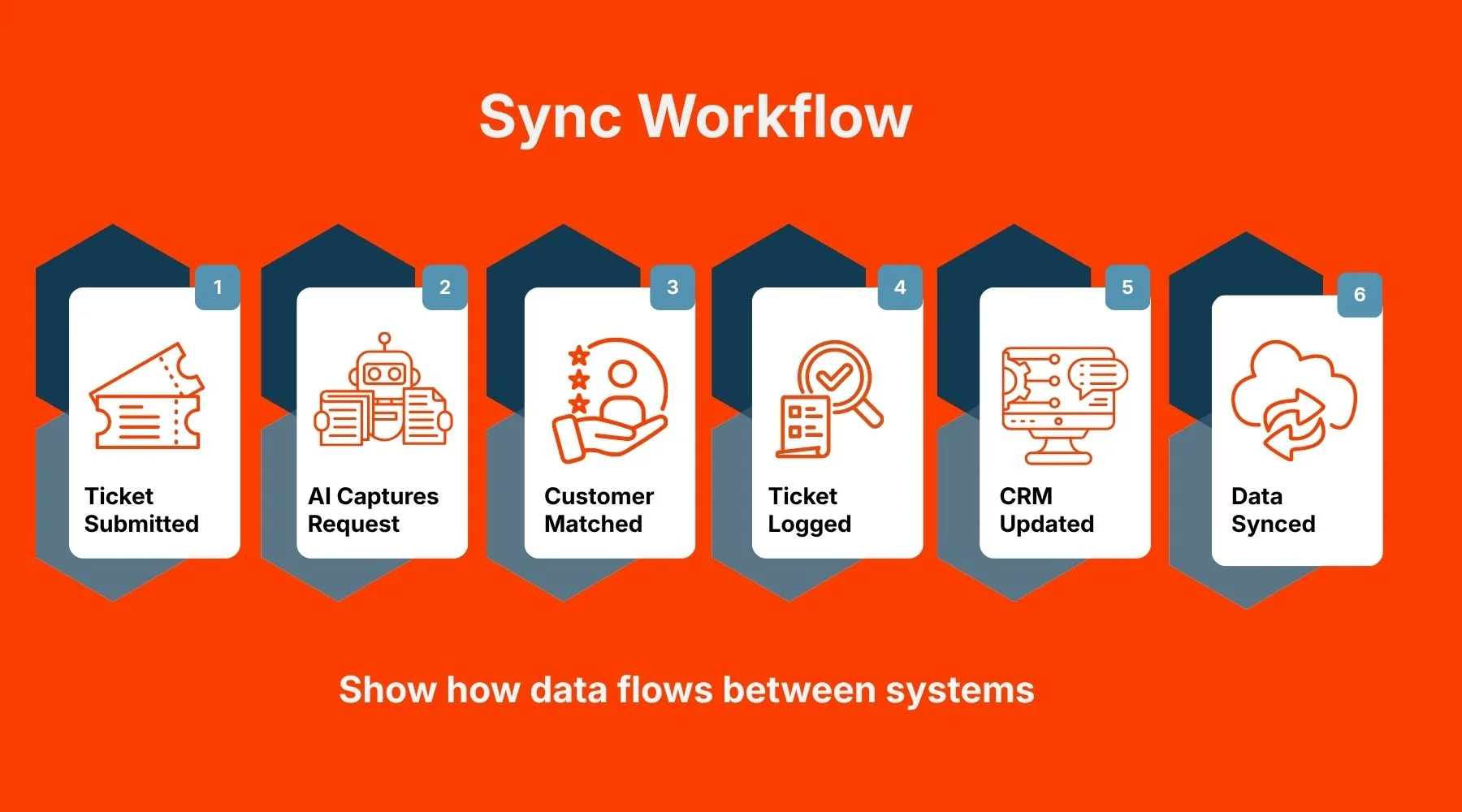
- Capture the support ticket: The system detects the incoming request from any channel, such as email, chat, or form. It collects the message content, customer details, and any attachments.
- Identify the customer: The AI matches the request with an existing CRM record using details like email address or account ID. If no match is found, it prepares to create a new record.
- Create or update the support ticket: The system logs the request as a ticket in the support platform. It ensures that all relevant information is included and structured properly.
- Update the CRM record: The AI adds the ticket details to the customer’s CRM profile. This includes the issue type, status, and timestamp of the request.
- Link ticket and customer history: The system connects the new ticket with past interactions. This creates a complete timeline of support activity for each customer.
- Assign tags and categories: The ticket is labeled based on issue type, priority, or product. These tags are also reflected in the CRM for better organization.
- Sync data across systems: Updates are shared in real time between the ticketing system and the CRM. This ensures that both systems always have the same information.
- Trigger internal workflows: The system can create tasks, send alerts, or notify account managers about the new issue. This helps teams respond quickly and stay informed.
- Track ticket status and updates: As the ticket progresses, changes are automatically reflected in the CRM. This keeps all teams updated on the current status.
- Maintain a complete audit trail: Every action and update is recorded, providing a clear history for reporting and analysis.
Outcome
With support ticket and CRM sync in place, businesses gain a complete and accurate view of every customer interaction. Each support request is automatically linked to the customer’s profile, which makes it easy to track issues and understand context.
Resolution time improves because support agents have access to the full customer history in one place. They can see past issues, previous conversations, and relevant details without switching between systems. This allows them to respond faster and provide more effective solutions.
Data accuracy also improves across both systems. Since updates are handled automatically, there is less risk of missing or incorrect information. Customer records remain consistent and up to date, which supports better decision-making.
Another important outcome is improved collaboration between teams. Sales, support, and account managers all have access to the same information. This helps them work together more effectively and provide a consistent customer experience.
Tracking and reporting become more reliable as well. With synchronized data, managers can measure performance more accurately and identify areas for improvement. This leads to better planning and stronger support operations.
Over time, this creates a more efficient and scalable system. As the number of customers grows, the process continues to work smoothly without adding manual effort. Businesses can deliver faster support while maintaining high-quality service.
Sync Workflow
Disconnected vs Synced Systems
Support Impact

Why Trust This Approach
Support ticket and CRM sync is built on integration and automation technologies that are widely used in modern customer service systems. These technologies are designed to keep data consistent and accessible across platforms.
The system improves over time by learning from interaction patterns and data updates. It becomes better at matching records and maintaining accurate customer histories, which increases reliability.
Transparency is a key feature. Every update is tracked, allowing teams to see how data moves between systems. This helps maintain trust and ensures accountability.
Security and data protection are also built into the process. Customer information is handled carefully, with proper access controls and data management practices.
Many organizations have already adopted this approach and have seen improvements in tracking, resolution time, and overall efficiency. These results show that the system is practical and effective.
Conclusion
Support ticket and CRM sync brings together two critical systems into one connected workflow. It ensures that every support request is recorded, tracked, and linked to the right customer without manual effort.
By automating data updates and maintaining a complete history, the system improves both speed and accuracy. Teams can resolve issues faster and provide better service with full context.
The benefits go beyond efficiency. Businesses gain better visibility, stronger collaboration, and more reliable data. This supports better decisions and improved customer relationships.
As support demands grow, having a connected and scalable system becomes essential. AI-powered sync provides a reliable solution that keeps operations smooth and efficient.
In simple terms, it helps businesses track support better, resolve issues faster, and deliver a more consistent customer experience.